
Salla or Zid store not showing in ChatGPT? What to check
By Mohamed Hadri
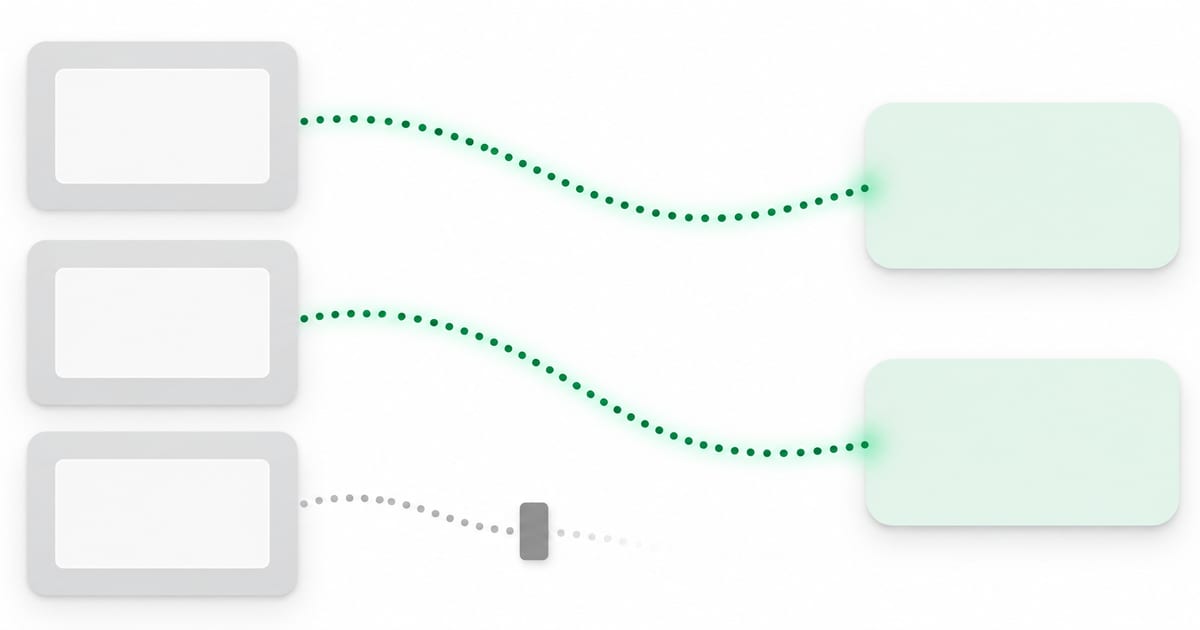
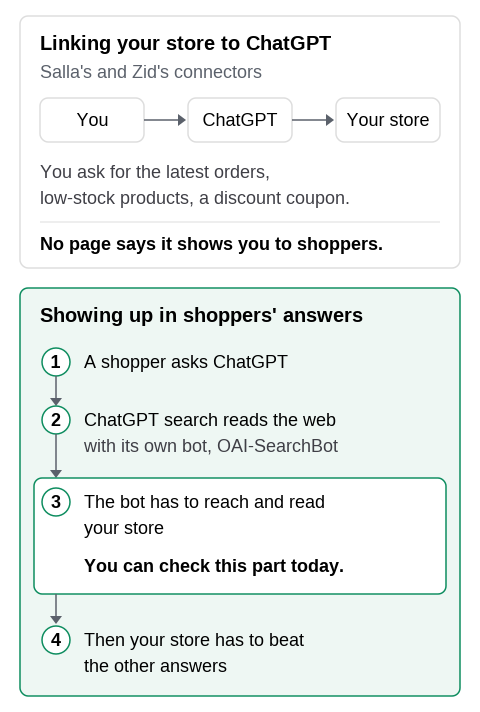
If your Salla store is not showing in ChatGPT, linking the store to ChatGPT won’t fix that by itself, and the same goes for Zid. That connector lets you run your store by chat. Linking alone won’t put you in shoppers’ answers, and none of the connector pages says it does. To appear in their answers, AI search tools first have to reach and read your store, then your store has to beat the other answers. You can check the first part yourself today, mostly from your dashboard.
The checks, in order:
- Don’t count on the ChatGPT connector to put you in answers.
- Read your robots.txt for a block on AI search bots such as
OAI-SearchBot, or on every bot. - On Zid, make sure the store isn’t hidden from search engines.
- Ask support whether their bot protection lets AI search bots in.
- Check that your product pages carry real text and that Google has indexed them.
- On Zid, see whether your plan includes the OpenAI product list.
Why is my Salla store not showing in ChatGPT after I connected it?
Because the connector works on your side of the store. Salla’s help centre says linking lets you manage your store through conversation: ask for the latest orders, find products running low on stock, create a discount coupon. Zid offers the same thing in two forms, an MCP connector for AI assistants and an official Zid app inside ChatGPT. None of the three pages mentions shoppers seeing your store in answers.
Shoppers’ answers come from ChatGPT search, which reads the web with its own bot. OpenAI says sites that opt out of OAI-SearchBot will not be shown in ChatGPT search answers.
Is it Salla or Zid, or is it my settings?
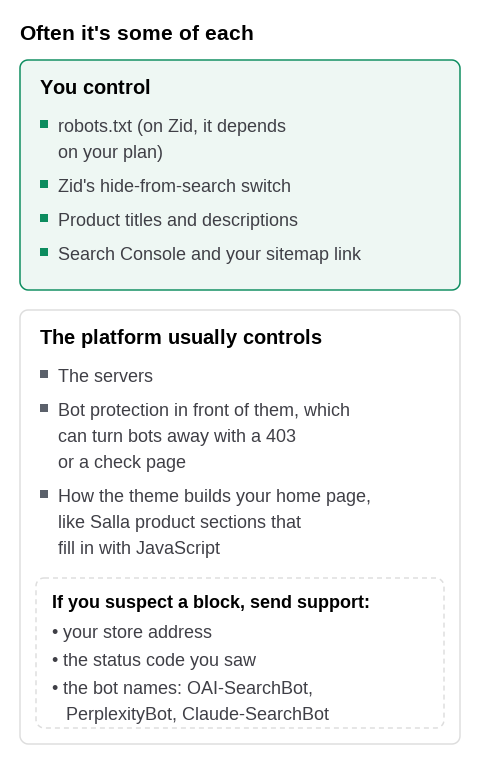
Often some of each. You control robots.txt, Zid’s hide-from-search switch, your product text and your Search Console setup. The platform usually controls the servers, any bot protection in front of them, and how the theme builds your home page.
Can AI search tools reach your store?
Start with robots.txt, the file that tells bots what they may visit. On Salla, the help centre puts it on the SEO page under the Marketing tab, in the advanced store link settings. On Zid, robots.txt is a card on the SEO page, and Zid says it depends on your plan.
Open yourstore.com/robots.txt and look for Disallow: / under a bot’s name. These two lines, for example, shut ChatGPT search out of the whole store:
User-agent: OAI-SearchBot
Disallow: /
The same rule under User-agent: * shuts out every bot. The search bots to look for are OAI-SearchBot for ChatGPT, PerplexityBot for Perplexity and Claude-SearchBot for Claude.
Training bots are a separate choice. OpenAI says each setting is independent, so blocking its training bot, GPTBot, doesn’t remove you from ChatGPT search, and Google says Google-Extended doesn’t affect inclusion in Google Search. More in which AI bots to block.
Zid store not showing in AI search? Check the “hide your store from search engines” switch
Zid’s SEO page has a button that asks search engines to stop listing your store. It’s meant for while you set the store up, or for selling to a specific audience, and anyone with the link can still open the store. While it’s on, the page shows a notice that search engine indexing is turned off, and Zid warns that new customers won’t find you by search. Salla’s SEO help article shows no such switch. If you’re unsure, ask Salla support.
403 errors and bot protection
Your store can open fine for you while a firewall turns bots away with a 403 or a check page. On a hosted store, that firewall is usually the platform’s, and you can’t change it yourself. Anthropic says its bots won’t try to get past CAPTCHAs, and Perplexity asks sites to allow its published IP ranges. If you suspect a block, send support your store address, the status code you saw and the bot names: OAI-SearchBot, PerplexityBot, Claude-SearchBot. To test it yourself, use the curl test in why can’t ChatGPT see my website.
Can they see your products, or an empty page?
They see only what is in the HTML your store sends. A December 2024 study by Vercel and MERJ, not by the companies that run the crawlers, found that none of the major AI crawlers it measured ran JavaScript. Google is the exception: the same study says Gemini uses Googlebot’s infrastructure, which runs JavaScript fully.
On Salla, product sliders and lists can arrive empty in the HTML and fill in later with JavaScript. On one Salla product page we checked, the product name was in the HTML, but the “you may also like” slider was empty. Our reading is that on the home page those sections come from the theme, which you pick but don’t code, so that part is down to the platform.
What you control is the text on product and category pages: full titles and descriptions, with the brand, size, material and anything a buyer would ask about. To see roughly what a bot gets, open a product page, press Ctrl+U to view the source, then Ctrl+F for the product name and a line of your description.
Is Google indexing your store?
It has to be, for Google’s AI answers. Google says there are no additional requirements for AI Overviews or AI Mode, but a page must be indexed and eligible to show with a snippet. Both platforms make a sitemap for you. Salla’s SEO article and Zid’s SEO page each show a button that copies its link, so you can paste it into Google Search Console. The full list of checks is in why is my website not showing on Google.
They can reach my store. Why do competitors still get named?
Because being reachable only gets you considered. Google says its AI features need no special optimizations, and no vendor page we read explains how a store gets picked. Our reading is that the stores that get named tend to have fuller product pages and get talked about elsewhere, in reviews, lists and the press.
Zid’s product catalogue card lists links that send your products to Google, Meta, TikTok, Snapchat, X and OpenAI. Zid says the OpenAI product list is there so your products can appear in AI shopping answers. That’s a separate route from the connector, and on Zid the catalogue depends on your plan. If AI tools do name you but get the facts wrong, see AI giving wrong information about your business.
Do I need an llms.txt file or a paid “GEO audit”?
Not for Google: it says its search doesn’t use llms.txt. If you want one, both platforms have it. Zid builds an llms.txt summary of your store automatically and lets you edit it. Salla’s SEO page has an LLMs.txt setting, and Salla says the file becomes available to AI models once you save it. You don’t need to upload anything: robots.txt and llms.txt are settings in the dashboard (on Zid, depending on your plan). More in does llms.txt actually work.
Before you pay for an audit, ask what it will measure, in which AI tools and languages, and how it will show you the before and after.
How do I check where my store stands, in Arabic and English?
Ask ChatGPT, Gemini and Perplexity five to ten questions a buyer would ask, in Arabic and in English, with web search on. Write down which stores get named and which links get cited. Repeat on a few days: one answer is one sample.
Two reports help. Bing’s AI Performance report shows how your content appears in Microsoft Copilot and Bing’s AI summaries, and Search Console has a generative AI performance report for Google’s. How to read them is in is AI search sending you visitors?
What the free scan checks, and what it can’t
Our free Mar2i AI scan runs 24 checks on your home page and root files, including robots.txt, noindex and the bot-name check, and checks whether a store home page’s Salla product sections stay empty until JavaScript runs. The bot-name check sends only the names, so the real bots may be treated differently. Which bot names were refused, and why a check failed, are in the full report, which opens once you add the site to your free account. If the scan can’t read your home page, it says so and gives no score. It can’t tell you whether any AI tool will name you.
Sources
- سلة، مركز المساعدة: ربط متجرك مع ChatGPT · updated 28 September 2026
- سلة، مركز المساعدة: أدوات السيو في متجرك: دليل شامل · updated 18 October 2026
- زد، مركز المساعدة: ربط مساعدات الذكاء الاصطناعي بمتجرك في زد بتقنية MCP · updated 27 October 2026
- زد، مركز المساعدة: إدارة متجرك في زد من ChatGPT · updated 27 October 2026
- زد، مركز المساعدة: تحسين محركات البحث · updated 28 October 2026
- OpenAI: Overview of OpenAI Crawlers
- Perplexity: Perplexity Crawlers
- Anthropic: Does Anthropic crawl data from the web, and how can site owners block the crawler? · 7 April 2026
- Google: Google’s common crawlers · updated 30 October 2026
- Google: AI features and your website · updated 10 December 2025
- Google: Google’s Guide to Optimizing for Generative AI Features on Google Search · updated 10 July 2026
- Search Console Help: Search generative AI control
- Bing Webmaster Blog: Introducing AI Performance in Bing Webmaster Tools Public Preview · 10 February 2026
- Vercel: The rise of the AI crawler · 17 December 2024